
Updated January 2nd, 2026
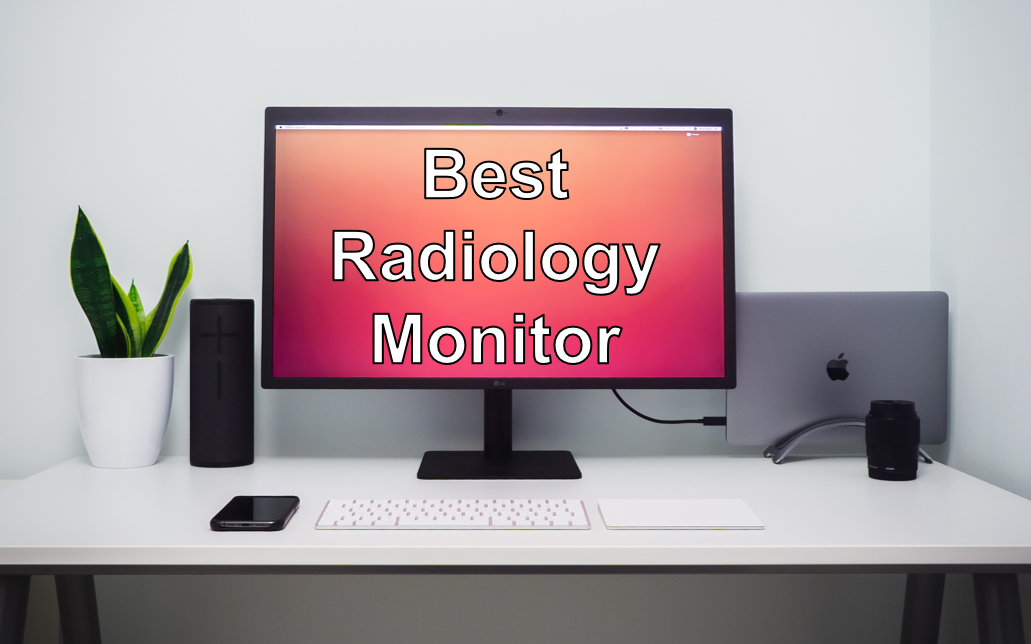
As a diagnostic radiologist, viewing and analyzing images is a major part of your daily work. A high-quality radiology monitor is essential for seamless viewing and reporting of high-resolution radiology images. Whether you work from home as a teleradiologist or you need to view images, when you are on call, you need a computer monitor that is suitable for radiology tasks. If you need more flexibility, a powerful radiology laptop with a good display might be the option for you. However, if you are using a radiology workstation, a separate high-quality radiology screen is a better option for you. In this article, we will therefore discuss the features and options for the best monitor for radiologists.
If you need more radiology gear, you might also like our articles on the best laptop, mouse, keyboard or dictation microphone for radiologists.
Also read: How to set up the best teleradiology workstation.
Finding the Best Radiology Monitor – The Top 6
1. Eizo ColorEdge CS2740-4K-BK
Auto Amazon Links: No products found.
2. Corsair XENEON 45WQHD240
Auto Amazon Links: No products found.
3. Dell U4021QW
Auto Amazon Links: No products found.
4. LG 27EP950-B
Auto Amazon Links: No products found.
5. ASUS ProArt 32“
Auto Amazon Links: No products found.
6. LG 27″ Ultragear
Auto Amazon Links: No products found.
7. BenQ EW3280U
Auto Amazon Links: No products found.

What Makes a Good Monitor for Radiologists
A radiologist has very high technical demands on his or her monitor. A high-quality monitor is necessary to ensure optimal diagnostic performance and perfect viewing of high-resolution images. To achieve this, there are several key features, a monitor must have, to be considered the best choice for radiology or teleradiology. The key features of the best radiology monitor are:
- High resolution
- High contrast ratio and brightness
- Wide color gamut
- Ergonomic design
- Wide viewing angles

Naturally, there are special diagnostic radiology monitors. However, akquiring these can be difficult for home workstations. In this section, we will have a detailed look at each of the key features for commonly available radiology monitors:
1. High Resolution
Radiology images are of very high quality and resolution. X-rays, in particular, have a very high level of detail that must be adequately displayed on the radiology monitor. High resolution is essential for identifying small pathologies such as undisplaced fractures. In addition, many modern imaging modalities, such as MRI or CT, are becoming increasingly higher resolution. Therefore, a resolution of 2K or higher is recommended for the best radiology monitor.
2. High Contrast Ratio and Brightness
To distinguish subtle differences of the analyzed tissue, a high contrast ratio is crucial. Most radiological images are displayed in shades of gray. Therefore, a good radiology monitor needs to be able to display them.
The average office monitor does not have an adequate contrast ratio. For adequate viewing of radiological images, a contrast ratio of 1000:1 or higher is recommended. In addition to contrast, the maximum brightness also is important for clear and vivid viewing. For radiology purposes, look for monitors with both a good contrast ratio and also a brightness of at least 300 nits (cd/m²) or higher.
3. Wide Color Gamut
Although colors are somewhat less important in radiology, there are a growing number of applications that are quite colorful. Fortunately, monitors with a high contrast ratio are often able to accurately display a wide range of colors.
This is even more important if you regularly use different post-processing algorithms, such as virtual rendering techniques, or color-coded images, such as in perfusion imaging. For color depth, a monitor should come with 10-bit or higher.
4. Ergonomic Design
As a radiologist, you might be working long hours at your radiology workstation. Therefore, a comfortable reading environment is essential to avoid unnecessary stress, tensions or even pain. A monitor for your teleradiology workstation or radiologists in general should have an ergonomic design, that allows for comfortable viewing over longer periods of time.
Several features can help with this such as adjustable height and tilt. Furthermore, an ambient light sensor can adjust the brightness of the screen according to the lighting of the surrounding. Finally, a low blue light mode may help to reduce eye strain.
5. Wide Viewing Angles
In many clinical radiology cases, you need to compare the current image series with previous ones. If both images are viewed side by side, the viewing area can quickly become crowded. Many radiologists get around this issue by using multiple monitors for different series of the same patient. However, there are modern monitors that provide a wide viewing angle. This allows two, three or more series or images to be viewed simultaneously without the need for a second (or third) monitor.
The Best Radiology Monitor – Going into the Details
1. Eizo ColorEdge CS2740-4K-BK
Auto Amazon Links: No products found.
Specifications
- Display size/type: 27″ LCD
- Resolution: 3840 x 2160 (4K UHD)
- Aspect ratio: 16:9
- Contrast ratio: 1000:1
- Pixels per inche (PPI): 164 ppi
- Brightness: 350 nits (candela / m²)
- Connectivity: DisplayPort, USB Type C, HDMI
- Color: 99% AdobeRGB and 100% sRGB color space coverage
Pros
- Renowned radiology monitor manufacturer Eizo
- Anti-glare coating
- 4K UHD resolution
- True Vision ultra-wide color gamut
- 16-but LUT and 10-bit color depth
- Hardware calibration
- Ergonomic stand with adjustable height, firward and backward tilt
Cons
- High price
- Very heavy (22.7 pounds / 10.3 kilograms)
2. Corsair XENEON 45WQHD240
Auto Amazon Links: No products found.
Specifications
- Display size/type: 45″ OLED
- Resolution: 3440 x 1440
- Aspect ratio: 21:9
- Contrast ratio: 1,500,000:1
- Refresh rate: 240 Hz
- Brightness: Up to 1000 nits (cd/m²)
- Connectivity: DisplayPort, USB Type C, HDMI
- Color: 99% DCI-P3 color gamut
Pros
- Large very high-quality bendable OLED display
- 1,500,000:1 contrast ratio
- HDT with up to 1000 cd/m² brightness
- The large format combined with the excellent contrast ratio and brightness make this monitor a great choice for radiologists!
Cons
- Limited compatibility when using it with a monitor arm
- Higher price
3. Dell U4021QW
Auto Amazon Links: No products found.
Specifications
- Display size: 40″
- Resolution: 5120 x 2160 5K UHD 2160p ultra wide
- Aspect ratio: 21:9
- Contrast ratio: 1000:1
- Brighness: 300 cd/m²
- Refresh rate: 60 Hz
- Color: Very high color gamut
Pros
- Ultra high 5K resolution
- Wall mount possible
Cons
- There may be issues with the USB ports when using wireless gear such as a wireless mouse or keyboard
- Potential glare in bright rooms
4. LG 27EP950-B
Auto Amazon Links: No products found.
Specifications
- Display size: 27″
- Resolution: 3840 x 2160 UHD, 4K, 2160p, OLED
- Aspect ratio: 16:9
- Contrast ratio: 1,000,000:1
- Brightness: 250 cd/m² (peak brightness: 540 cd/m²)
- Refresh rate: 60 Hz
- Connectivity: DisplayPort, HDMI, USB Type-C
Pros
- Excellent color fidelity
- Optimal brightness and contrast
Cons
- “Smaller” regular screen size.
- Perfect primary monitor but might require a second one for RIS or other applications.
5. ASUS ProArt PA329CV
Auto Amazon Links: No products found.
Specifications
- Display size: 32″
- Resolution: 3840 x 2160 UHD, 4K
- Aspect ratio: 16:9
- Contrast ratio: 1000:1
- Brightness: 400 cd/m²
- Refresh rate: 60 Hz
- Connectivity: DisplayPort, HDMI, USB-C, USB-Hub
Pros
- Very ergonomic design
- Height adjustmet, tilt, pivot, swivel
- 100% sRGB and DCI-P3 Color Gamut Support
Cons
- May be a bit wobbly depending on the stand setting
- Some users reported issues when connected via thunderbolt
6. LG 27″ Ultragear
Auto Amazon Links: No products found.
Specifications
- Display size: 27″
- Resolution: 2560 x 1440 OLED
- Aspect ratio: 16:9
- Contrast ratio: 1,500,000:1
- Brightness: 800-1000 cd/m² peak brightness
- Refresh rate: 240 Hz
- Connectivity: HDMI 2.1 and DisplayPort 1.4
Pros
- DCI-P3 98.5% – an elevated color spectrum that showcases brilliant color
- Anti-Glare screen
- Very high 240 Hz refresh rate
Cons
- A bit more expensive
- Some users reported burn-ins potentially due to the high brighness
7. BenQ EW3280U
Auto Amazon Links: No products found.
Specifications
- Display size: 32″
- Resolution: 3840×2160
- Aspect ratio: 16:9
- Contrast ratio: 1000:1
- Brighness: 350 cd/m² (peak: 400 cd/m²)
- Refresh rate: 60 Hz
- Connectivity: 2 x HDMI, 2 x DisplayPort (v1.4), 1 x USB-C
Pros
- 95% P3 Color gamut
- Anti-Glare system
- Built-in Speaker: 2.1 Channel (2Wx2 + 5W woofer)
Cons
- Lower refresh rate and contrast ratio but also lower price
What is the Best Radiology Monitor for your Workstation?
Now what is the best radiology home workstation monitor for radiologists? Radiological images can be viewed on many monitors but you need to make sure that certain standards are met. Depending on your budget, there are several options with different features to consider.
Your individual choice of the best monitor for your radiology workstation will depend on your specific needs. Be it the best contrast ratio and brighness, a wide display size or ergonomic features, there will be an optimal monitor for your teleradiology workstation. I hope this article can give you the information to make an informed decision for your new monitor for radiology or teleradiology.
Happy reporting!
Some links on this site are affiliate links. If you choose to buy a product using these links, I might get a commision for this purchase. For you, this does not change the price.
