
Updated November 27th, 2023
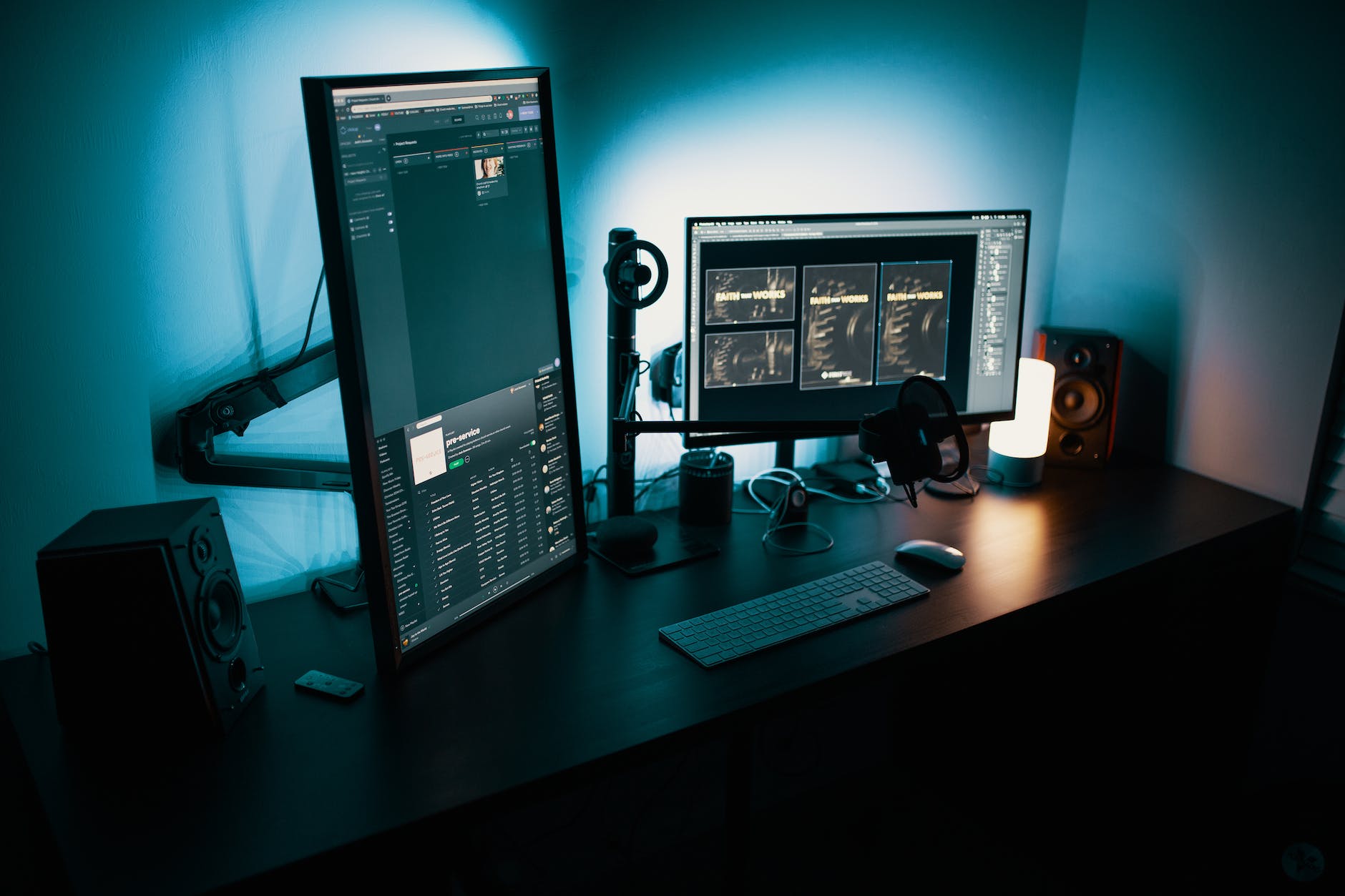
More and more radiologists are working part-time or full-time from home as teleradiologists. No matter what teleradiology structure you work in, it is very different from a hospital or private practice environment. One of the most important factors is that you can be paid on a report basis. Therefore, efficiency in your teleradiology environment translates into more free time and/or more money. The center of your work is your teleradiology workplace. You want it to be as comfortable and efficient as possible. In this article, we will discuss the environment and components you need to create the optimal and most efficient teleradiology workstation.
Further Reading: Working from Home as a Radiologist – Teleradiology Explained!
Why Should You Optimize Your Teleradiology Workstation
Take a moment to think about what the best radiology setup would look like for you.
If you´re a radiology resident or board-certified radiologist in a hospital, you may have to work your eight to X hours every workday. There are plenty of reports to write, but also patients and colleagues to be talked to and other tasks to complete. In this environment, there will most likely be standard workflows and standard radiology equipment available to all radiologists. However, these workflows may not be optimized for individual radiolgists and the available gear is not personalized.
Working as a teleradiologist usually means you´ll have more freedom and most likely be your own boss (even if you´re employed by a teleradiology company). This is because you only need to report the cases you are assigned to. Once your list is empty, you can take a break at your teleradiology home-office. However, this means, that working more efficiently means more breaks (or more money, if you can fit more reports into the same time period).
Therefore, you should optimize your teleradiology workplace to be as comfortable and efficient as possible.
How To Optimize Your Teleradiology Workplace
The teleradiology market is growing steadily. This also means that the competition is increasing and efficiencymay become more and more important. But how can a teleradiology workplace be optimized? There are three key ways to make your teleradiology workstation comfortable and efficient:
- Optimization of Workflows
- Robust and Efficient Equipment
- Comfortable Environment
In the following paragraphs, we will discuss each point in detail. I´ll try to give specific examples wherever possible to give you the best idea on how to realize these in your own radiology home office.
1. How To Optimize Workflows in Your Teleradiology Workplace
Think about how often you have experienced technical (or other) problems while working as a hospital radiologist. How many hours (or days?) have you lost while being interrupted by another physician, waiting for a program to respond, or having to follow suboptimally structured workflows.
Now you have the chance to make things right (for) yourself. From receiving and opening images to viewing and reporting, everything should go smoothly. You can ensure this by following these tips to optimize your teleradiology workflow:
Fast and Reliable Data Connection:
A fast and stable high-speed internet connection is crucial for transmitting large medical imaging files. Although a standard DSL connection may be sufficient, you may opt for a fiber connection that offers reliable and consistent speeds.
Additionally, with a high-speed internet connection for your telemedicine workstation, you are prepared for cloud computing services and can easily access multiple files such as previous radiology images. Finally, you need to make sure that your network is secure to protect patient data. Aside from encryption and firewalls, virtual private networtks (VPNs) help to safeguard sensitive medical information. Depending on the country you´re working in, the requirements for this may differ.
Efficient Teleradiology Reporting Workflows
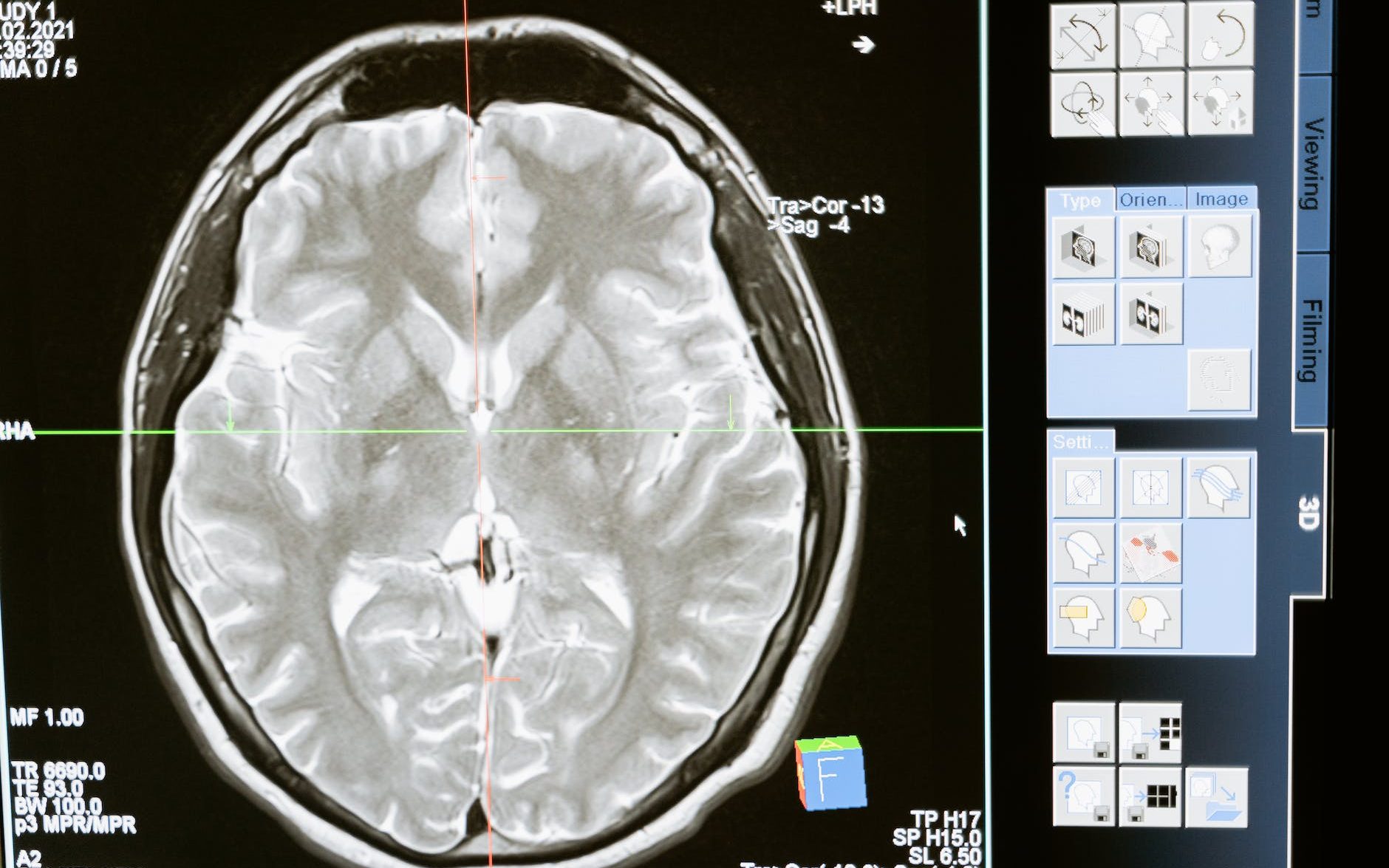
Now you have received the images and you want to start to write your teleradiology report. There are many ways, in which the process of reporting can be facilitated:
- Use templates or structured reporting: I always had my standard structured reports on hand for the most common studies. That way, I could easily fill in the missing parts or edit my default report. This saves so much time and you may less likely miss reporting something because your structured report guides you through the exam.
- Use voice commands and programmable keys: Adding to the first point, you can semi-automate the insertion of your standard report or parts of it by programming voice commands or program keys on your radiology mouse or keyboard. At first, it may seem cumbersome to add each command and to program each key. However, this is a great investment, that will pay off in no time. We will discuss this in more detail in the equipment section.
- Use hanging protocols: Most modern PACS applications allow for individual hanging protocols. Hanging protocols in your teleradiology workflow enable a standardized viewing of specific studies. For example, in a polytrauma scan, you may want to look at the cranium (axial, soft tissue) and the cervical spine (sagittal, bone window) as on of the first series. By using a hanging protocol, you can define, which series are displayed first. This saves time both in identifying important pathologies and in starting to write your structured report.
General Optimization of Workflows in Your Teleradiology Home-Office
In addition to optimizing your reporting, there is also room for improvement in the general workflow. However, this depends very much on your workload and what you want to do between reports (if there is any “between” reports).
For example, you may have a thematically overlapping or complementary hobby or side-business such as a medical blog. By adding a secondary set of monitors and keyboard, you can easily switch between tasks and effectively use the time you´re working as a teleradiologist. Naturally, you can always get a coffee or talk to your partner or roommate (if they are also working from home).
If you´re an “on-call teleradiologist”, you may not want to keep your workstation running on all the time. In this case, you may want to optimize your system’s startup speed (SSD) or utilize other gadgets such as Wi-Fi outlets*, that allow you to remotely start your teleradiology workstation via app.
2. Efficient Technology for Your Teleradiology Workstation
When we talked about streamlining workflows, you may have noticed that technical equipment plays a key role in the process. In fact, there are many ways of how your radiology gear can optimize your workflow:

Dictation Microphone for Your Teleradiology Workstation
A high-quality radiology speech recognition microphone is essential for reporting. A good dictation microphone in combination with a great spech recognition software allows for easy reporting and it may even learn your style.
Additionally, you can and should use the keys on your microphone or use voice commands for more efficient reporting. If you want to have your hands free for mouse and keyboard, look for a microphone stand or headset. In that case, you can turn your microphone on and off via hotkeys for example on your mouse. If you have a adjustable desk or want to move during dictation, you may also want to look for a wireless option.
For further information: The Best Dictation Microphone for Radiologists
Radiology Mouse for Your Teleradiology Workstation
Most of the time I find myself with the microphone in my left hand and the mouse in my right hand. I optimized both devices to the point, where I can easily do many things. For example, navigate through images, take measurements and insert complete reports with the click of a button. In our separate article on the best mouse for radiologists, we discussed in detail, which features are important when choosing the right mouse.
By having a mouse with (many) programmable buttons, you can facilitate many tasks. These include taking measurements, adjust window modes, start your microphone or even insert templates. Additionally, an infinite scroll wheel can significantly increase your scrolling speed and thus inrease the speed of your reading process.
Radiology Keyboard for Your Teleradiology Workstation

A comfortable and optimized radiology keyboard also plays an important role in your teleradiology reporting workflow. Similar to your microphone and mouse, it allows you to customize and program individual keys. Using these radiology workflow shortcuts can also save you time and make the reading process easier.
All of your control devices (mouse, keyboard, microphone) should work together and complement each other. Make sure you have all the necessary and commonly used shortcuts programmed onto your devices. I also like to make notes for smaller “click-heavy” tasks that come up from time to time. For these tasks, it may be beneficial to create macros. This may seem like a lot of work the first time you do it. However, it will save you much more time in the future.
Additional Efficient Gear for Your Teleradiology Workstation
In addition to the previously disucssed equipment, there are other tools that may help you to increase your efficiency:
- KeyPad: A keypad, such as the 24-key XK-24* allows for additional shortcuts such as additional window modes, templates or measurements.
- Monitors: Of course, this is a topic in itself. However, the simple fact of having two or more monitors at your workstation can enable multitasking. They can help speed up reading or allow you to switch quickly between reading and other tasks.
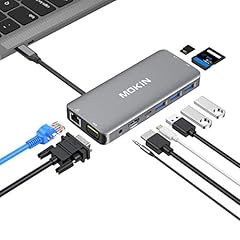
- Multi-Ports: Depending on how many gadgets you are using, you may want to have all of them set up in an organized way. For this, multi-ports can help to avoid cable chaos. Additionally, you can also look for wireless options of your gear: mouse, keyboard or microphone.
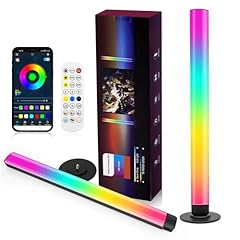
- Ambient lighting: This is also discussed in the next section. However, ambient lighting can improve your concentration and overall comfort. And when you’re comfortable and focused, you’ll report faster and better.
Some of my favourites: USB C Hub Multiport Adapter*, XK-24 programmable keypad*, ambient RGB Light Bar*.

Closing the list of efficient gear, lets take a step to how to make everything comfortable.
3. How to Create a Comfortable Teleradiology Environment
A comfortable environment is not only pleasant, it can also help improve your performance, concentration and even prevent illness. The main components you can adjust to make your teleradiology workplace more comfortable are the following:
- Posture
- Device Operation
- Lighting
- Noise
How to Achieve Good Posture at Your Teleradiology Workstation
We all know that a diagnostic radiologist spends most of his or her time sitting at a workstation. First, it does not have to be that way. Second, if you need to sit, sit comfortable.
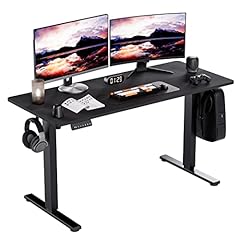
- Adjustable desk: Using a heigh-adjustable desk allows you to report/work standing up and switch between standing and sitting. This is a great option for your overall well-being and additionally keeps you fit.
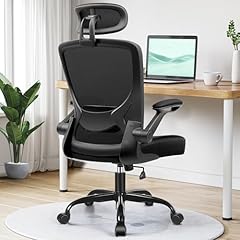
- Comfortable chair: A comfortable chair is also important. There are many options, I myself like to have a chair with head and lumbar support*. If you´re looking for a comfortable chair, I can give you the tip to search for gaming chairs*. These already come with the most important features and also fit optically well into a modern teleradiology setup.
- Ergonomic monitor: You can have the best desk and chair setup. If your monitor is not well adjusted, your neck may hurt ver time. When choosing a monitor or monitor stand, look for adjustable options that can be set up ergonomically to minimize strain on your neck and back.
Ergnonomical Radiology Devices for Your Teleradiology Setup
Adding to posture, ergonomical devices and/or ergonomical handling are also important. They can help to reduce stress to your wrists and neck and additionally improve your posture.
- Ergonomic radiology mouse: Some radiologists have wrist problems when operating with a standard mouse for longer periods of time. I have several colleagues that switched to a vertical radiology mouse*. These options can help to significantly reduce muscle strain.
Auto Amazon Links: No products found.
- Ergonomic mouse pad: Having a wrist support for your mouse pad can be a great relief. These ergonomically designed pads give support to the wrist but reduce wrist fatigue and pain that may be caused by prolonged reporting. Additionally, you can get one with a nice radiology desing*.

- Wireless options: Many devices are also availabe as wireless options. However, these strongly depend on your preferred working position. If you like to work standing, a wireless microphone or mouse may be a great option. Using that, you dont have to worry about moving around and get caught by a cable somewhere.
Ambient Lightning for Your Home Radiology Workplace
At the end of the day, lighting is something that can really make a difference. Radiologists work in dimly lit areas and you cannot have bright lights. However, there is a solution that provides comfortable lightning without disturbing your reading process. By placing one or two RGB Lightbars* behind your monitors, you can passively light your workspace. Some people work more efficiently with a specific background color. Others may find it relaxing to have sunrise colors on their walls. Using a freely adjustable option, you can find the best color for you.


How to Set Up the Best Teleradiology Workstation – The Conclusion
Creating the most comfortable and efficient teleradiology workstation is not only fun but can also help you in many ways. You can save time by optimizing your workflows. You can also prevent injuries by optimizing your workplace ergonomically. In this article, you can find many options and different aspects to consider when designing and building your teleradiology home workplace. I hope you found some interesting informations. Feel free to contact me with any questions. If you want, you can also send me a picture of your personal setup.
Happy reporting!
Some links on this site are affiliate links(*). If you choose to buy a product using these links, I might get a commision for this purchase. For you, this does not change the price.

2 thoughts on “How to Set Up the Best Teleradiology Workstation”
Comments are closed.